


I promised on LinkedIn I would share a more complete set of these wonderful retrobotic mobile homes and vehicles + their prompts, but these actually came from experimenting with one of my favorite re-mastering techniques.
Let’s check it out!

Free subscribers: I’m sorry you won’t get to see this process, but here’s a couple (completely unrelated) freebie prompts that are worth experimenting with and remixing with your own subjects 🫶


Ok let’s get into it!
This set started as an experiment of inspiration with --c and --w commands, which generate some unexpected results that once you learn how to “control” it a bit more, they will quickly become your favorite go-to commands!
This was the original prompt:
concept art of a solarpunk groom droid for VOGUE magazine cover --chaos 20 --ar 3:4 --niji 6


As you can see the prompt was super short with a pretty high --chaos parameter of 20. Usually I recommend starting with super low --c or --w values and increase them incrementally. IMO, anything above 5 starts getting pretty crazy, but sometimes that’s where some of the gold is, but it’s also where you start to lose all control over the result…
Anyway,
Once I fell in love with the lower right quadrant (#4) I quickly started the my go-to variant process:
Vary Subtle
Vary Strong
Remix Subtle, remove --c command from prompt, try with, and without --p command
Remix Strong, remove --c command from prompt, try with, and without --p command
Once you have a generation you really like, it’s time to update the prompt so it’s a bit more editable in the future.
because,
if you want to edit a prompt that is completely unrelated to the visual generation due to its --chaos inception, you will have a much easier time making accurate image iterations when the tokens within the prompt you are editing are visually represented in the image generation.
so,
when this image:
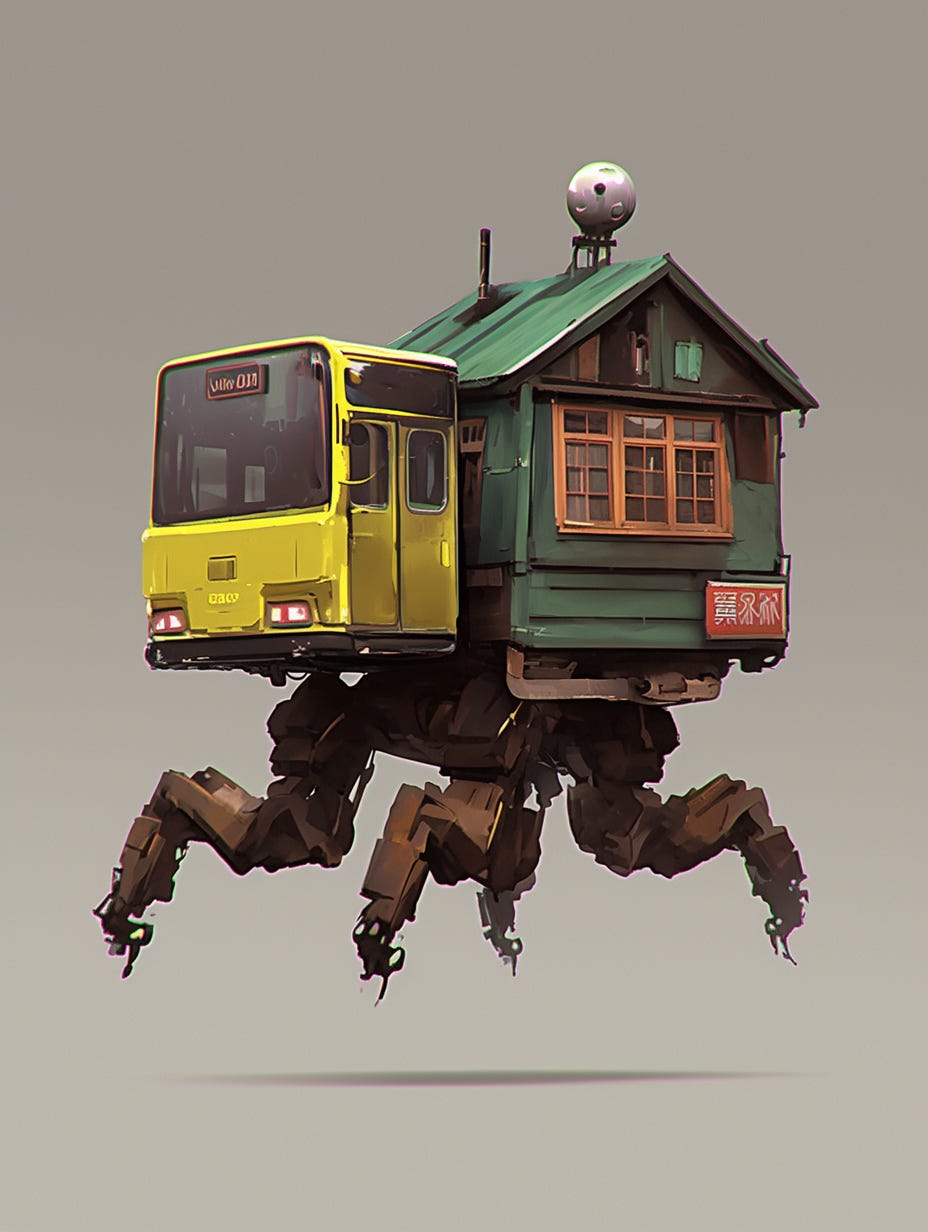
is tied to this prompt:
concept art of a solarpunk groom droid for VOGUE magazine cover --chaos 20 --ar 3:4 --niji 6You can see that if you were to try and Remix or Edit this prompt in order to affect the image in an “accurate” way, there is an obvious disconnect between the text and the image. That’s what we need to fix so we can continue to generate real iterations to build a full image set, as opposed to building an image set with variations (made with Vary Subtle or Vary Strong only).
The latter usually turns out to be a little bit more boring IMO.
So,
The quickest way to “remix” your prompt is to open your gennie in the editor, select any small, blank and inconsequential area and update the prompt to more accurately describe the scene and subject:
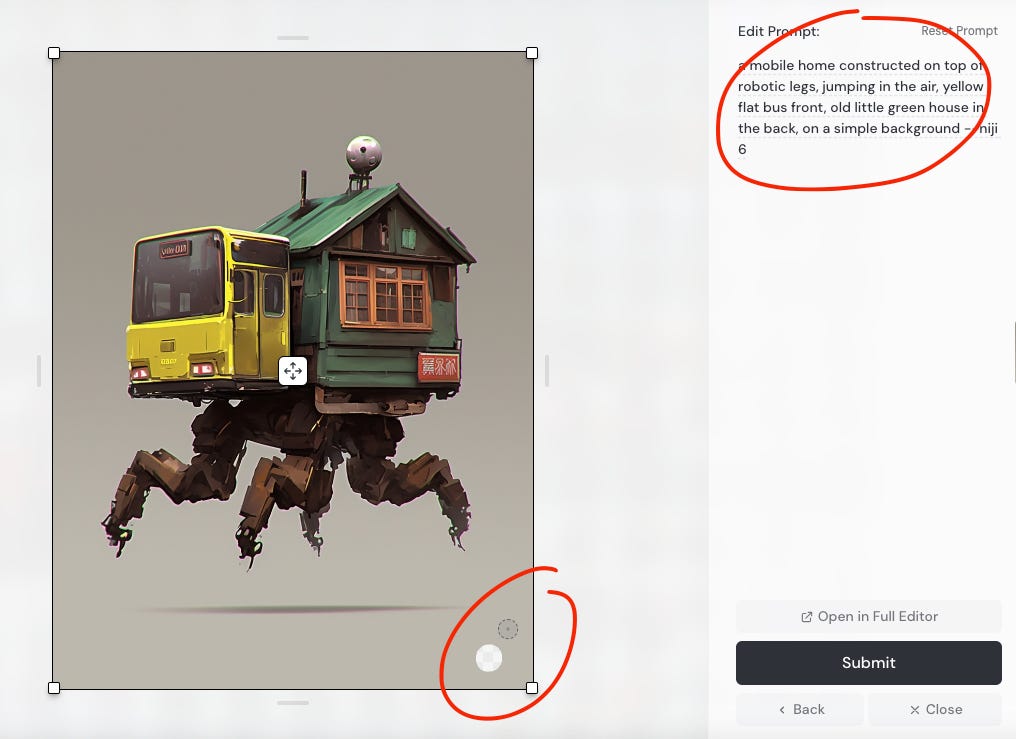
Once you hit submit you’ll see a new set of gens that should look identical to the original, except this time the prompt is completely new.
Once you have this re-mastered generation, you can either Vary Subtle or Strong to see variations, or you can Remix Subtle (or Strong) and edit your prompt to make real and controllable iterations of the original image.
We will get further into this technique later, but for now you can probably get a pretty good feel for how powerful this type of re-mastering action can be.
Think about it for re-mastering generations from one model to another, for example to re-master your favorite gens from V5.2 into V6.1, or V6 into Niji 6…
Experiment with this!
It’s one of my favorite ways to drain my fast hours 🤑